Lead capture, qualification & automated follow-up.
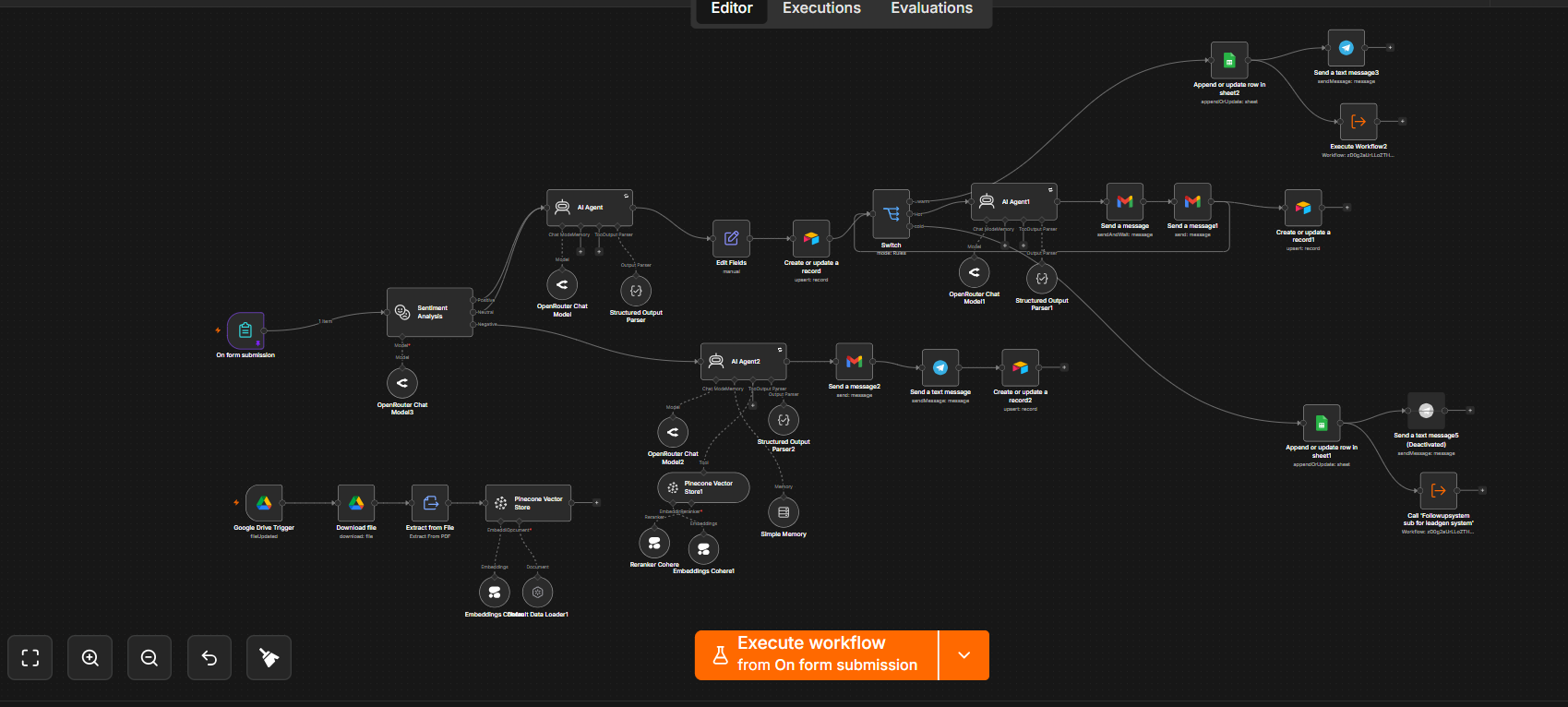
I designed a lead-management system that captures inbound submissions, analyzes intent, creates or updates a lead record, routes the conversation through AI-assisted logic and hands follow-up work to a reusable sub-workflow.
From new lead to the next action.
The architecture separates capture and qualification from follow-up execution, making the messaging layer reusable instead of rebuilding it inside every lead path.
Designing the lead lifecycle, not just the lead form.
The system treats lead management as a sequence of connected decisions: capture the signal, understand it, keep the record current, communicate through the right channel, and schedule the next touchpoint.
Start with a structured lead event.
The main workflow begins from a form submission and passes the incoming lead data into the automation layer instead of relying on manual copy-and-paste between the form, CRM and messaging tools.
Use AI to understand the signal before routing it.
A sentiment-analysis step sits near the front of the workflow, followed by AI-agent logic. This lets the system interpret the incoming interaction before deciding what downstream action makes sense.
Keep the lead record current.
The workflow creates or updates a lead record after processing. That gives the automation a persistent operational record to work from rather than treating every message as an isolated event.
Route actions to the channel that fits the workflow.
Conditional branches connect the processed lead state to downstream communication and record updates, including Gmail, Telegram, Google Sheets and Airtable steps visible across the workflow.
Pull follow-up logic into a reusable component.
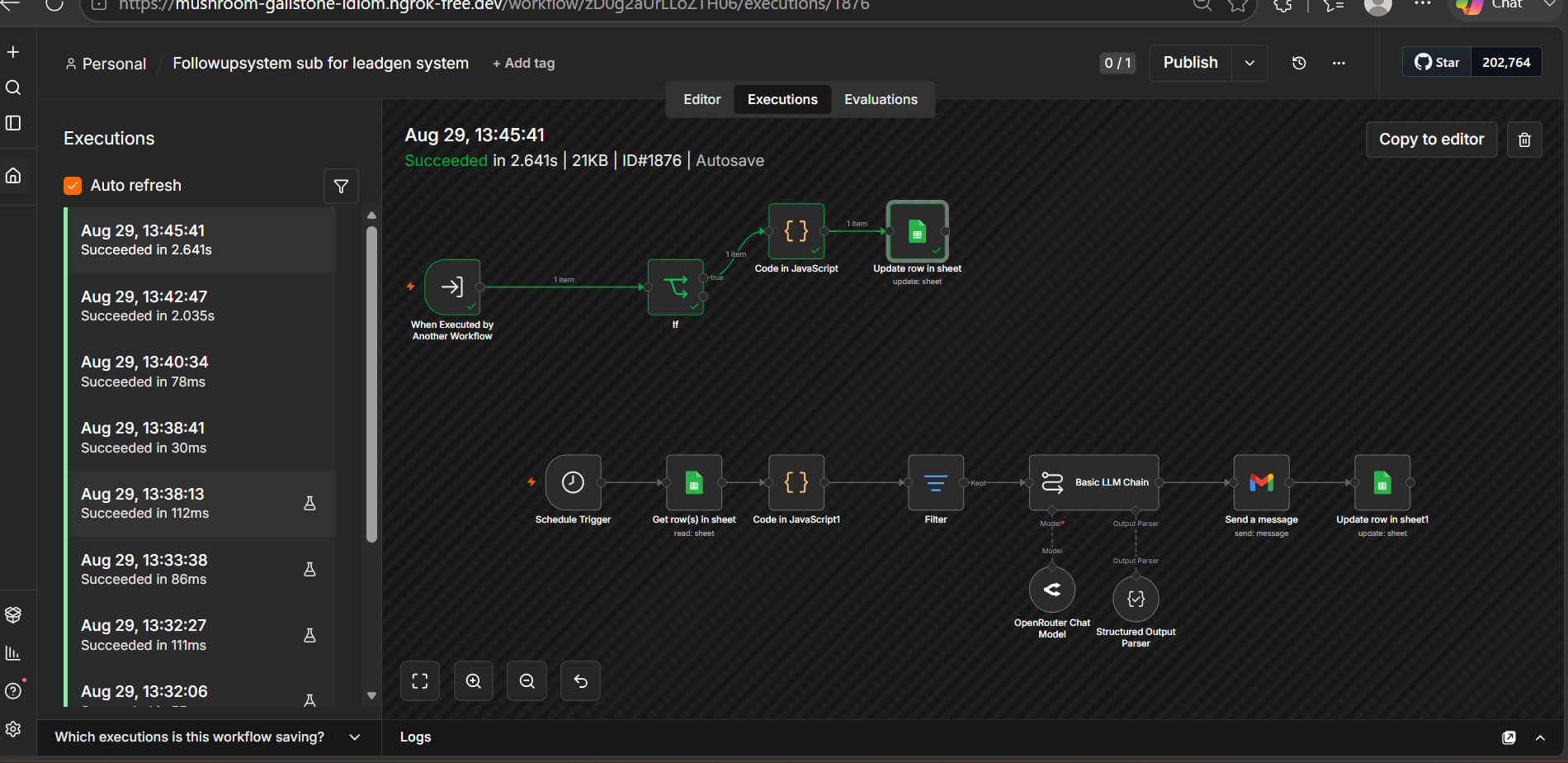
Rather than burying follow-up logic inside the main lead workflow, I separated it into a callable subworkflow. A scheduled path reads lead rows, runs filtering logic, passes the message through an LLM step, sends the follow-up and updates the record.
Leave room for context-aware automation.
The architecture also includes a Pinecone vector-store branch for document ingestion and retrieval. That creates a path for grounding AI behavior in a searchable knowledge base rather than relying only on the model's built-in knowledge.
Make the next action explicit.
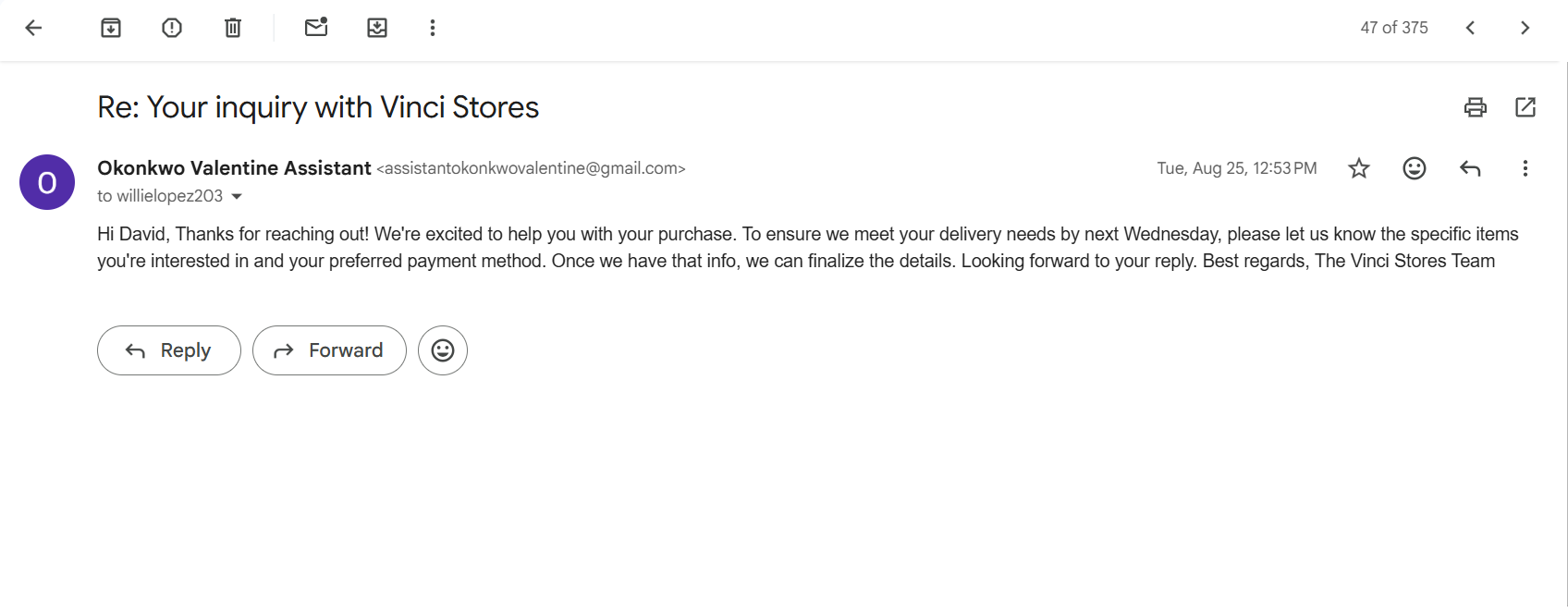
The system writes back after communication so a lead's follow-up state can be carried forward. This is what turns a one-off automation into a lifecycle rather than a single successful execution.
Reusable automation is easier to reason about.
The project reinforced the value of separating responsibilities: the main workflow handles intake and decision-making while the follow-up component owns recurring messaging logic. That makes the system easier to extend and debug.
Read the full build breakdown
Main workflow responsibilities
- Capture: receive new leads from a form submission.
- Interpret: use sentiment analysis and AI-agent logic to understand the incoming interaction.
- Persist: create or update the lead record so the system retains state.
- Route: branch based on processed lead information and send the request into the appropriate operational path.
- Communicate: connect Gmail and Telegram actions to the lead workflow.
- Maintain: write state changes back to Airtable and Google Sheets.
- Knowledge: maintain a Pinecone-based ingestion path for searchable business context.
Follow-up subworkflow
The follow-up component can be invoked by another workflow or run from a schedule. It reads lead rows, applies filter logic, passes the selected follow-up context into a basic LLM chain, sends the resulting message, and updates the source row. Keeping that sequence separate makes the follow-up logic reusable across different lead-entry paths.
What I learned
The project moved my thinking from “automate the first response” toward designing the full lead lifecycle. The hard part is not sending a message; it is preserving state, deciding when another touchpoint is needed, keeping records synchronized, and making the automation modular enough to evolve without becoming one giant workflow.